

Free · up to 30 pages per month
Read historical sources through the eyes of AI.Your time is for thought.
Humanitext OCR is a high-accuracy text recognition service powered by the multimodal capabilities of large language models. Extract exactly the text you need from scans and photographs — with nothing more than a prompt.
What you can do with Humanitext OCR
Transcription is just the beginning. Batch-process stacks of PDFs, turn scans into searchable PDFs, then proofread against the originals with collaborators — the whole journey from image to usable text, in one place.
Transcriptions that follow your instructions
State-of-the-art multimodal LLMs read manuscripts and multilingual sources in context. Just describe the material and what you want extracted, right in the prompt.
- Layout instructions like "extract only the body text" or "drop the footnotes"
- Structured JSON output mode for catalogues and research databases
- Test the first page before committing to a full run
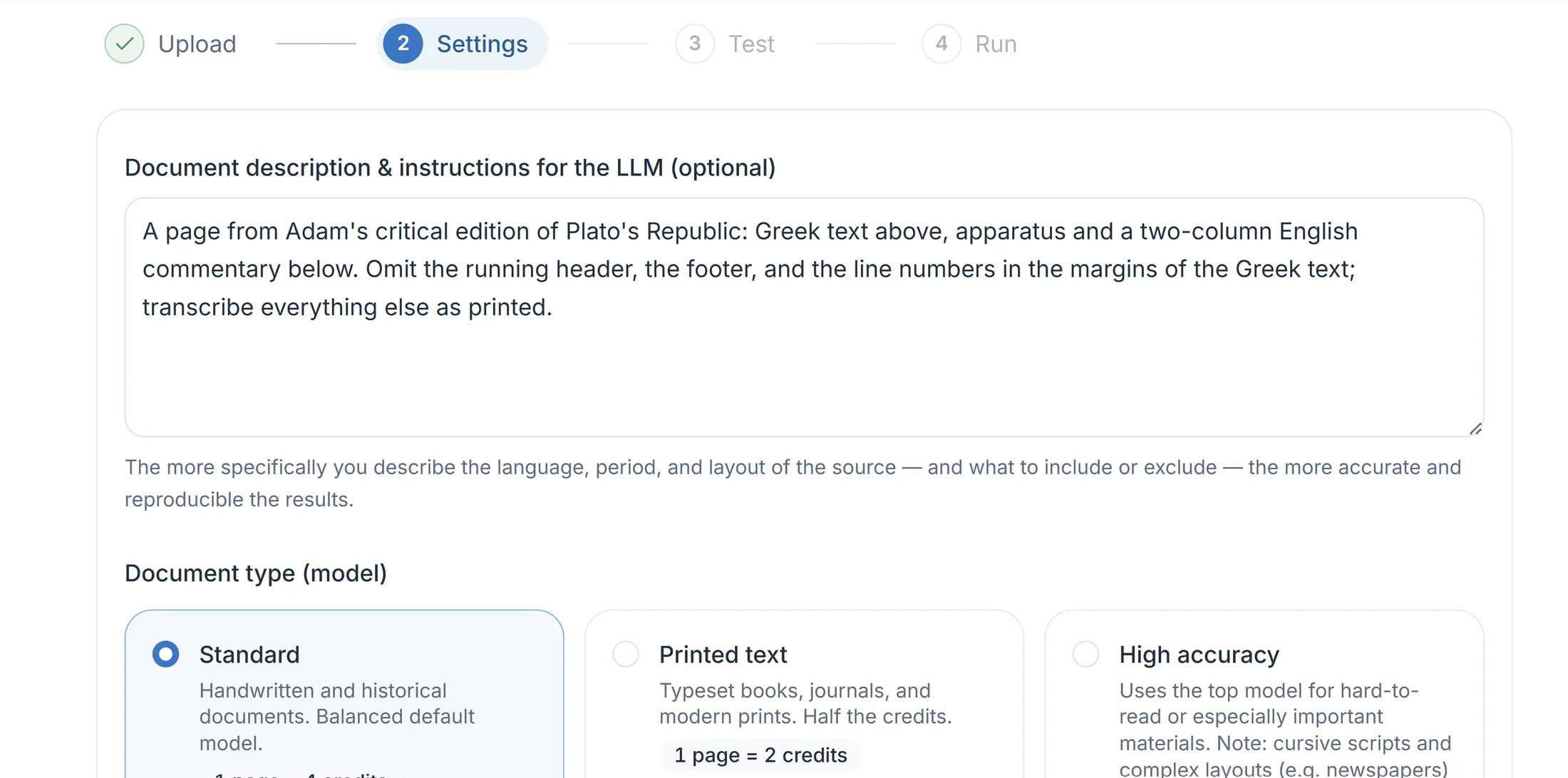
Submit dozens of PDFs, download one ZIP
Upload up to 50 PDFs at once and process them all with the same settings (one job per PDF). Everything runs in the cloud, so close the tab — the jobs run to completion.
- When every volume is done, grab all results in a single bundled ZIP
- Not in a hurry? Batch processing halves the credit cost
- Track progress in the job history; failed pages don't consume credits
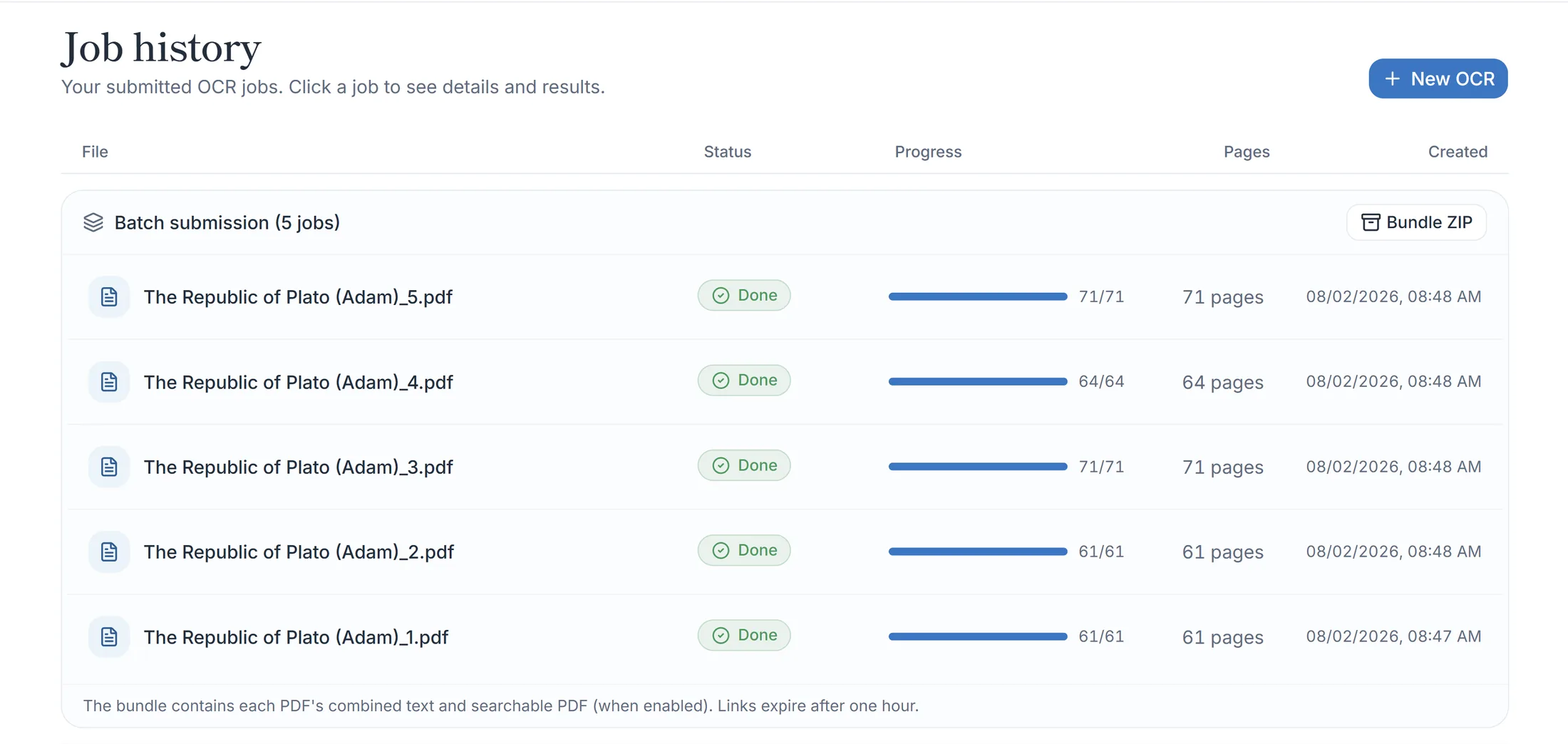
PDFs you can search and copy — looking exactly like the original
Line-level coordinates let us overlay an invisible text layer onto your original PDF. Pages keep their original look and resolution — and the full text becomes searchable and ready to copy for quotation.
- Search and copy in Acrobat or any standard PDF viewer
- Vertical and horizontal writing detected automatically, line by line
- Combined and per-page text files are generated alongside
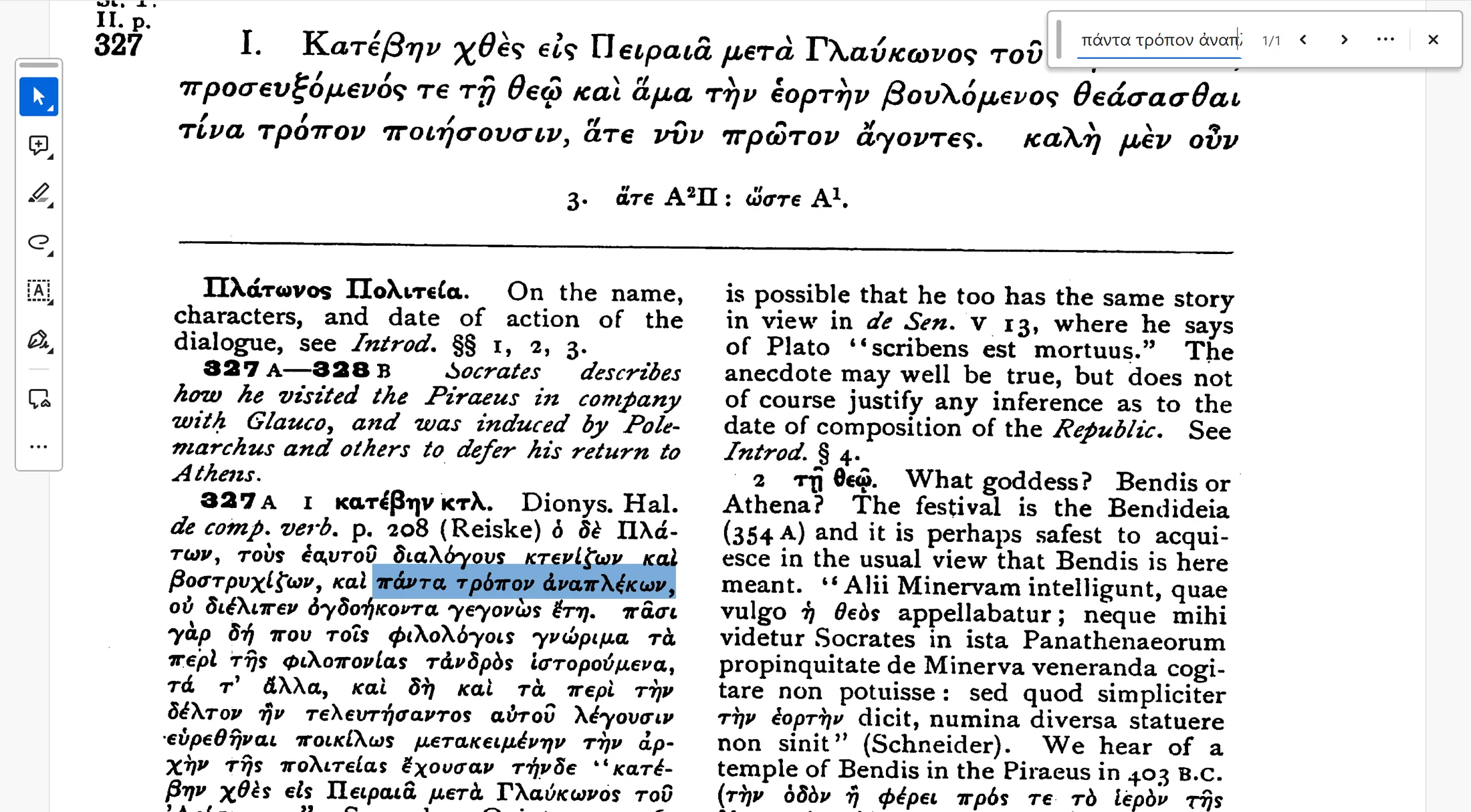
Proofread against the original — together, if you like
After OCR completes, open the proofreading viewer to compare the original image and the transcription line by line. Click a line and the matching region lights up on the image.
- Push corrections back into the combined text and searchable PDF in one click
- Invite proofreaders to share the work (coming soon, up to 10 people)
- Invitees join with just a Google sign-in and consume no credits
The proofreading viewer is available on jobs with searchable PDF (coordinate OCR) enabled.
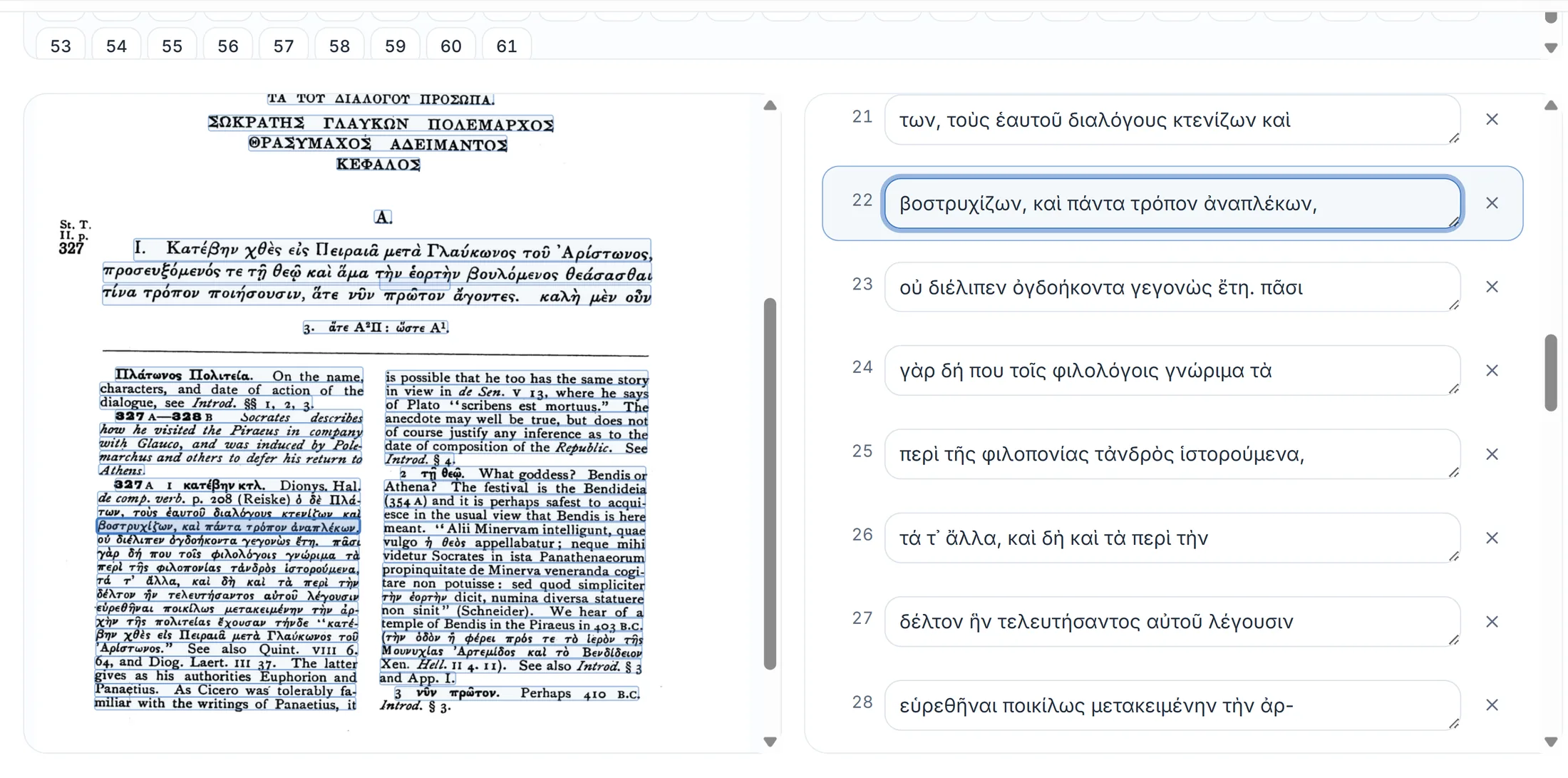
Up and running in four steps
A guided wizard takes you from upload to download — no manual required.
STEP 1
Upload
Drag & drop PDFs or images. Multiple volumes at once are fine.
STEP 2
Configure
Describe the material and extraction rules in the prompt; pick the output format and options.
STEP 3
Test
Check the result on page one and tweak the settings until it's right.
STEP 4
Run
Let the cloud do the work, then download your text and PDFs.